e-commerce website

e-commerce website

e-commerce website

~4 minute read

Project overview

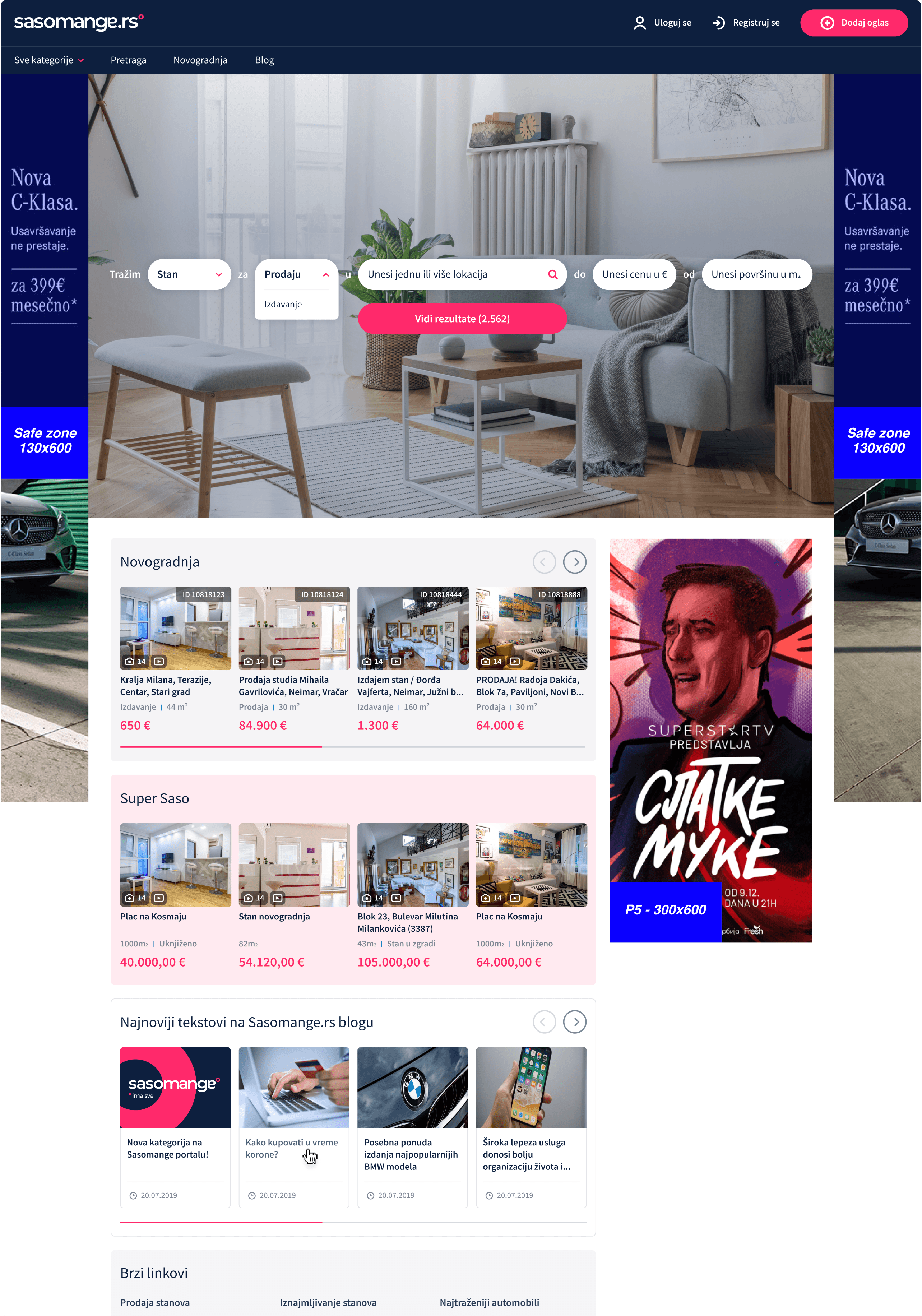
Sasomange.rs was a modern Serbian online classifieds marketplace that was later acquired and merged into Kurir’s business platform. It was a full marketplace for:

cars

household items

second-hand goods

real estate

services

jobs

it

Beyond providing easy listing creation and a visually cohesive UI, the platform followed market trends and specialised in one marketplace category at a time. 

While I worked at Sasomange.rs, main focus was first on cars (auto-moto) and then real estate.

Beyond providing easy listing creation and a visually cohesive UI, the platform followed market trends and specialised in one marketplace category at a time. 

While I worked at Sasomange.rs, main focus was first on cars (auto-moto) and then real estate.

Beyond providing easy listing creation and a visually cohesive UI, the platform followed market trends and specialised in one marketplace category at a time. 

While I worked at Sasomange.rs, main focus was first on cars (auto-moto) and then real estate.

My role

During Oct 2020-July 2022 while I was working on the project as an assistant designer, using photoshop, illustrator and Adobe XD as my primary tools, I would maintain our design system, create illustrations to increase usability, develop new features according to agreements with designers, project managers and stakeholders, adapt layouts through responsive design, and iOS and Android apps.

During Oct 2020-July 2022 while I was working on the project as an assistant designer, using photoshop, illustrator and Adobe XD as my primary tools, I would maintain our design system, create illustrations to increase usability, develop new features according to agreements with designers, project managers and stakeholders, adapt layouts through responsive design, and iOS and Android apps.

During Oct 2020-July 2022 while I was working on the project as an assistant designer, using photoshop, illustrator and Adobe XD as my primary tools, I would maintain our design system, create illustrations to increase usability, develop new features according to agreements with designers, project managers and stakeholders, adapt layouts through responsive design, and iOS and Android apps.

Design impact

While working at Sasomange.rs, I contributed to:

While working at Sasomange.rs, I contributed to:

While working at Sasomange.rs, I contributed to:

Reduced time for finding relevant listings

Increased page views per session

Lower bounce rate and higher interaction through improved filter usage

Clearer PDP information hierarchy = reduced bounce on product pages

Read more about these 4 main categories:

Read more about these 4 main categories:

Read more about these 4 main categories:

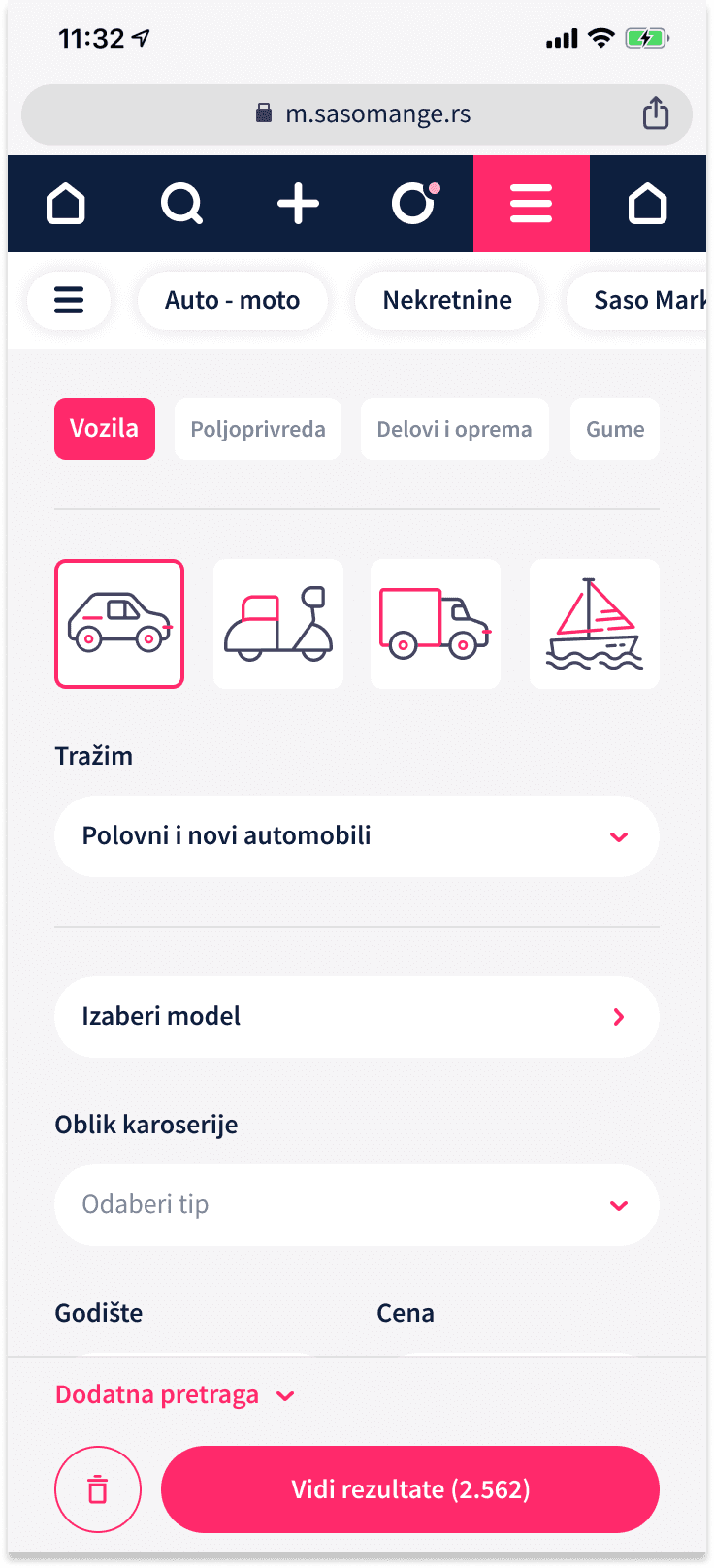
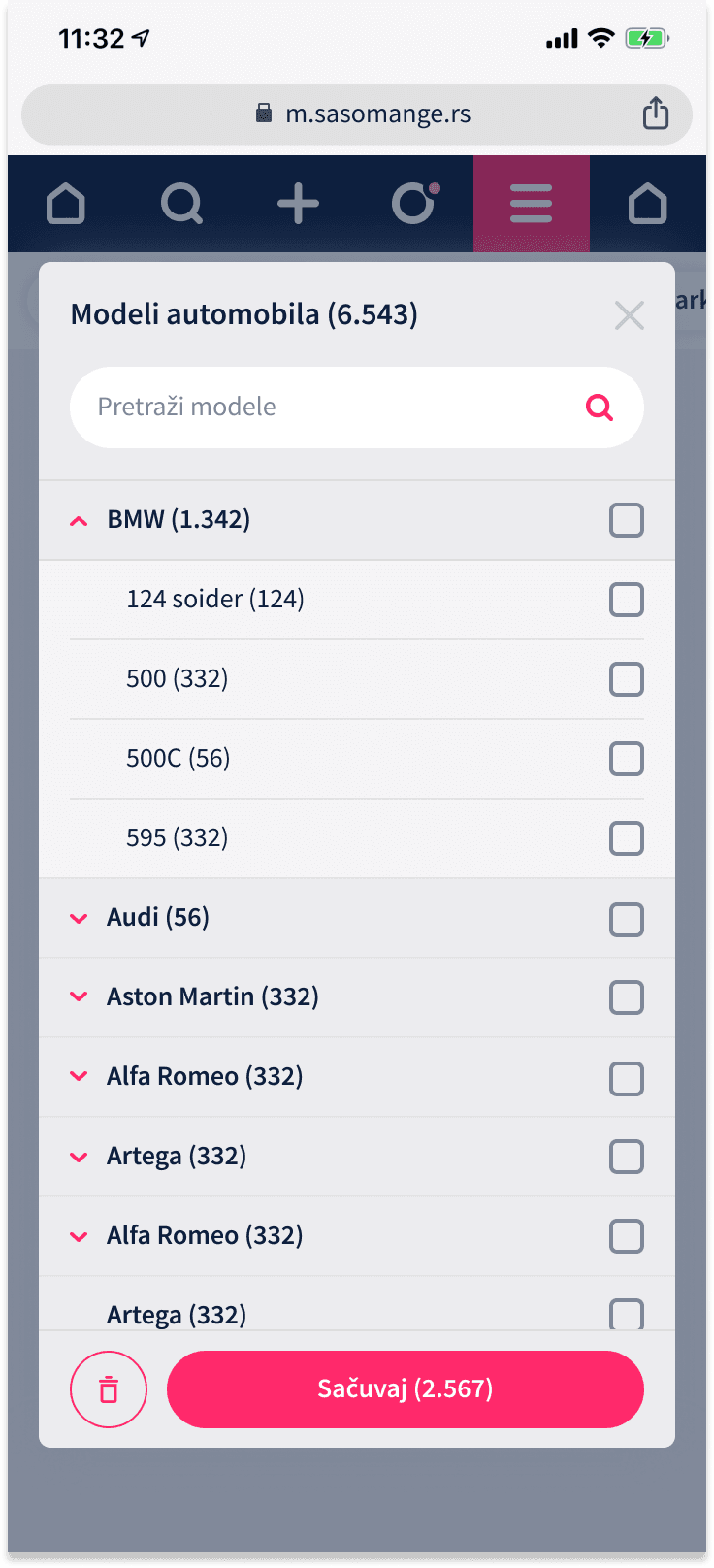
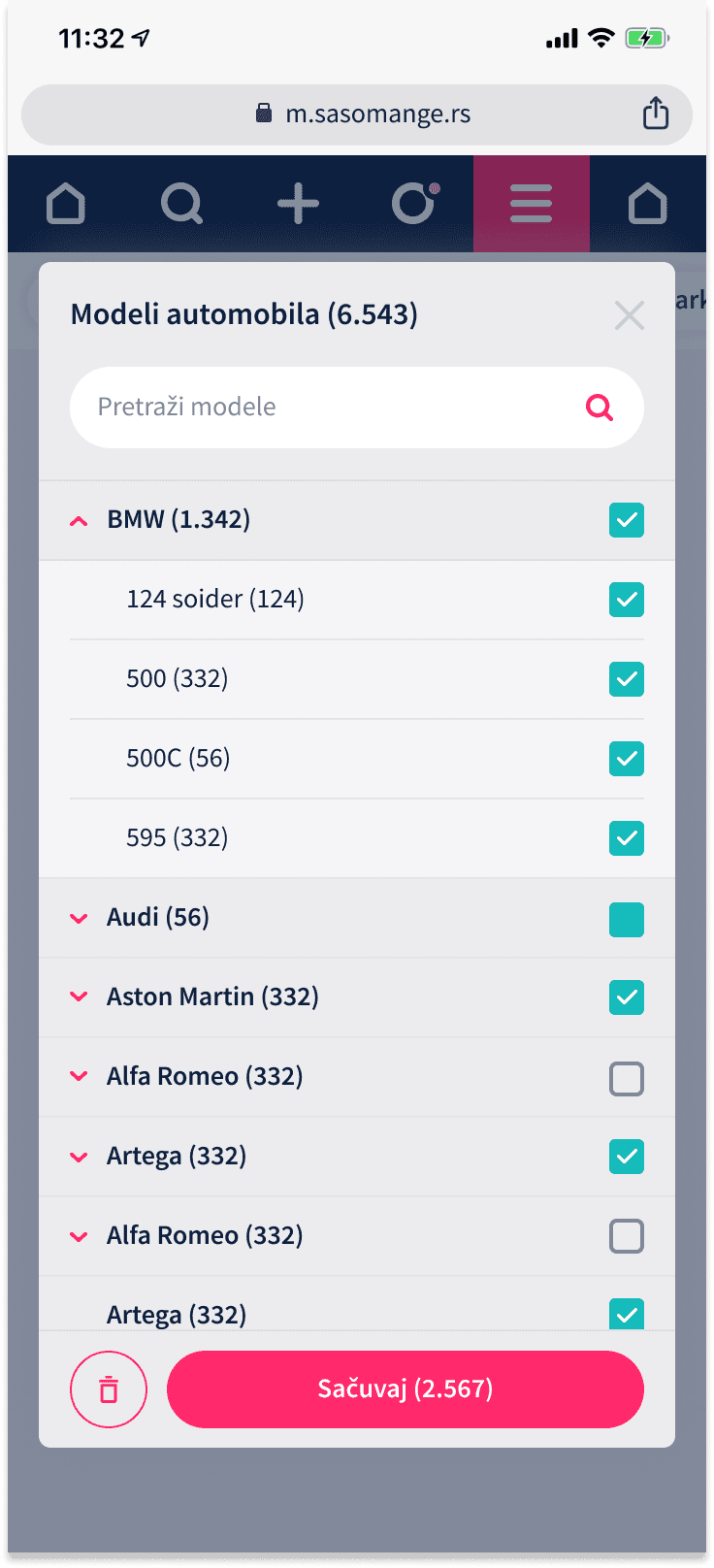
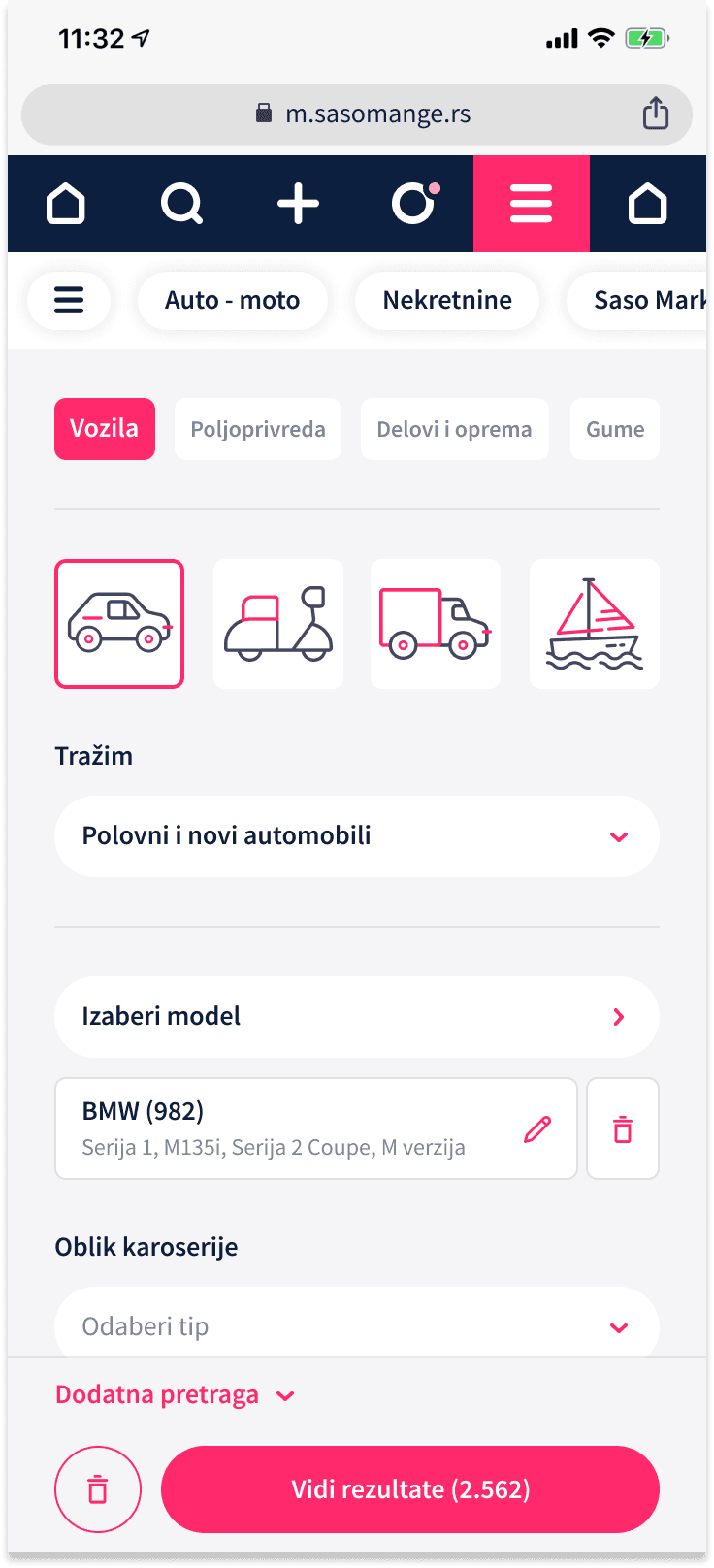
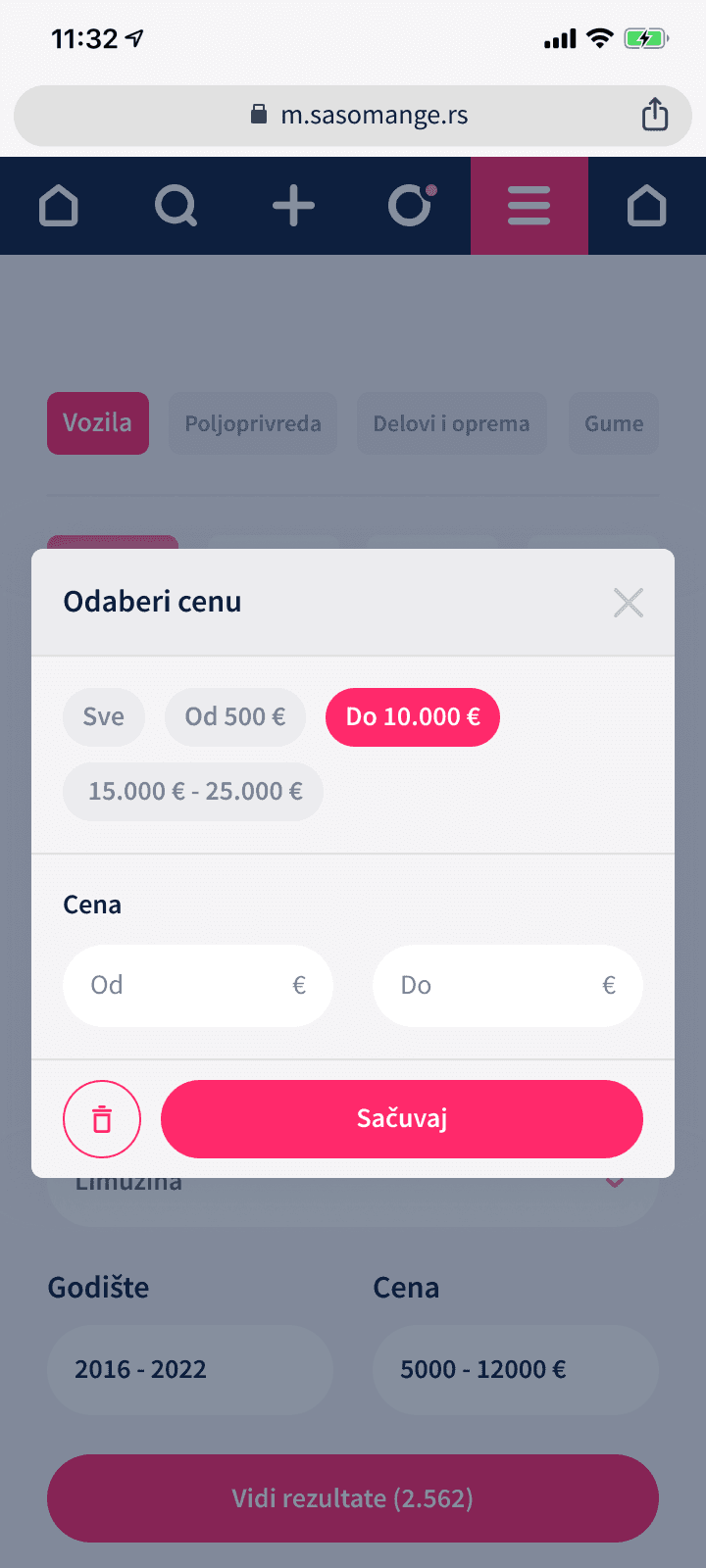
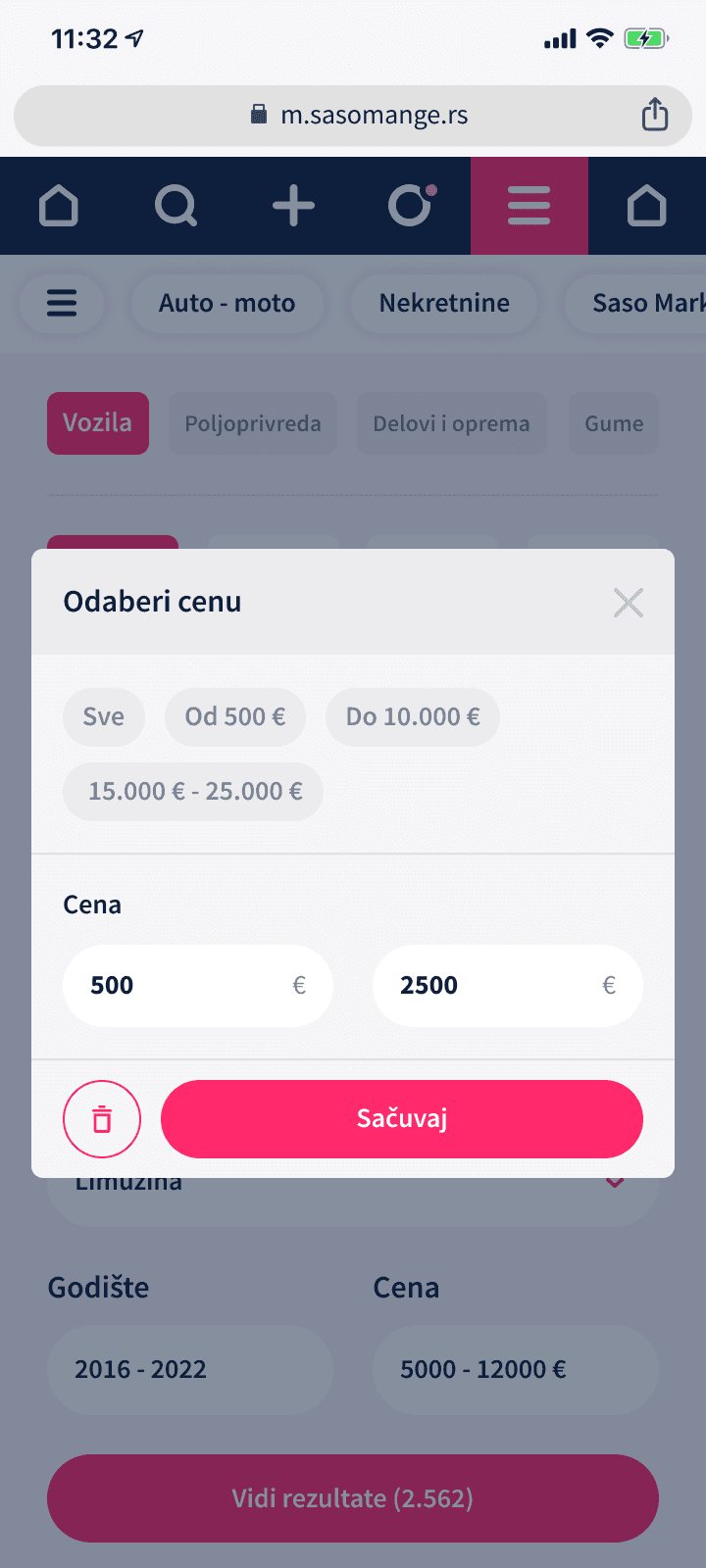
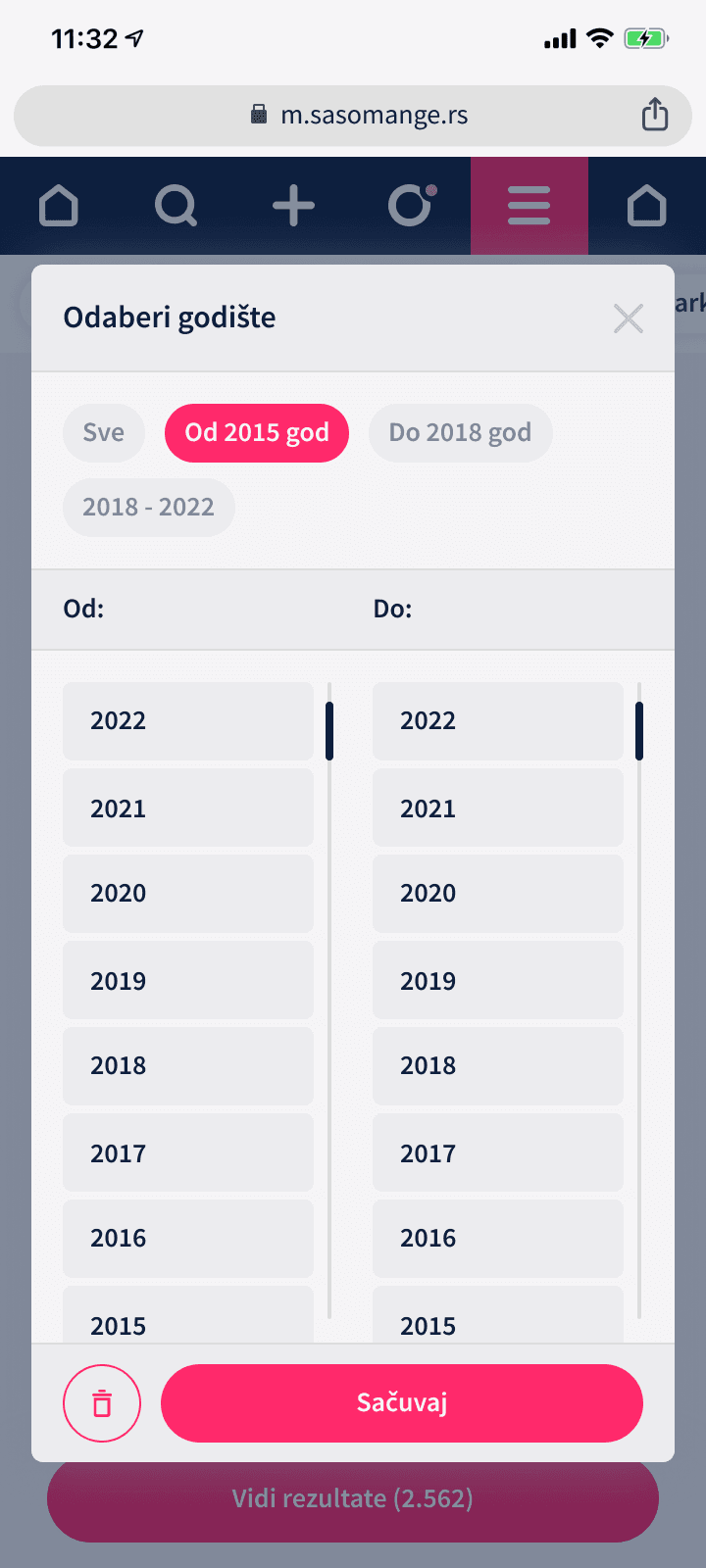
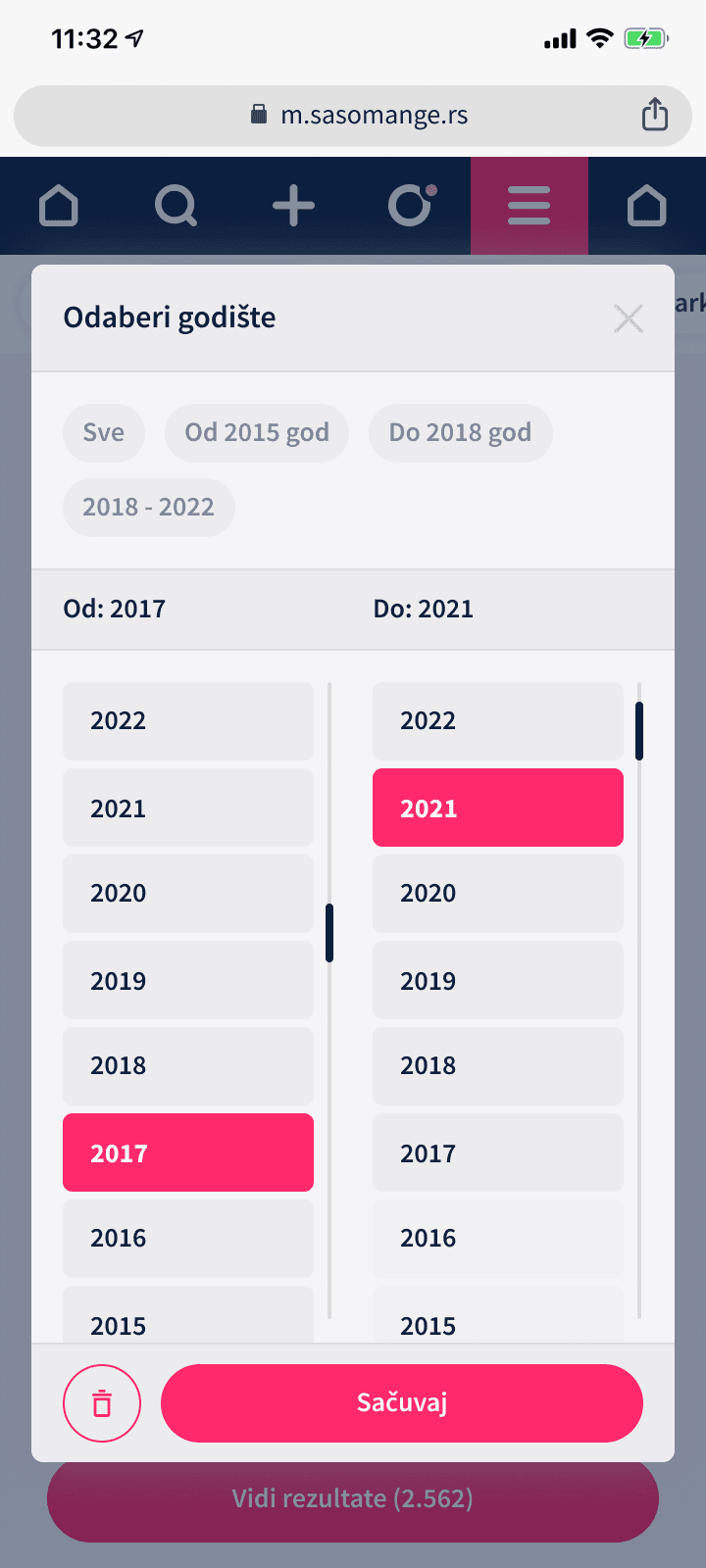
*feature example - filtering solution

Responsive design

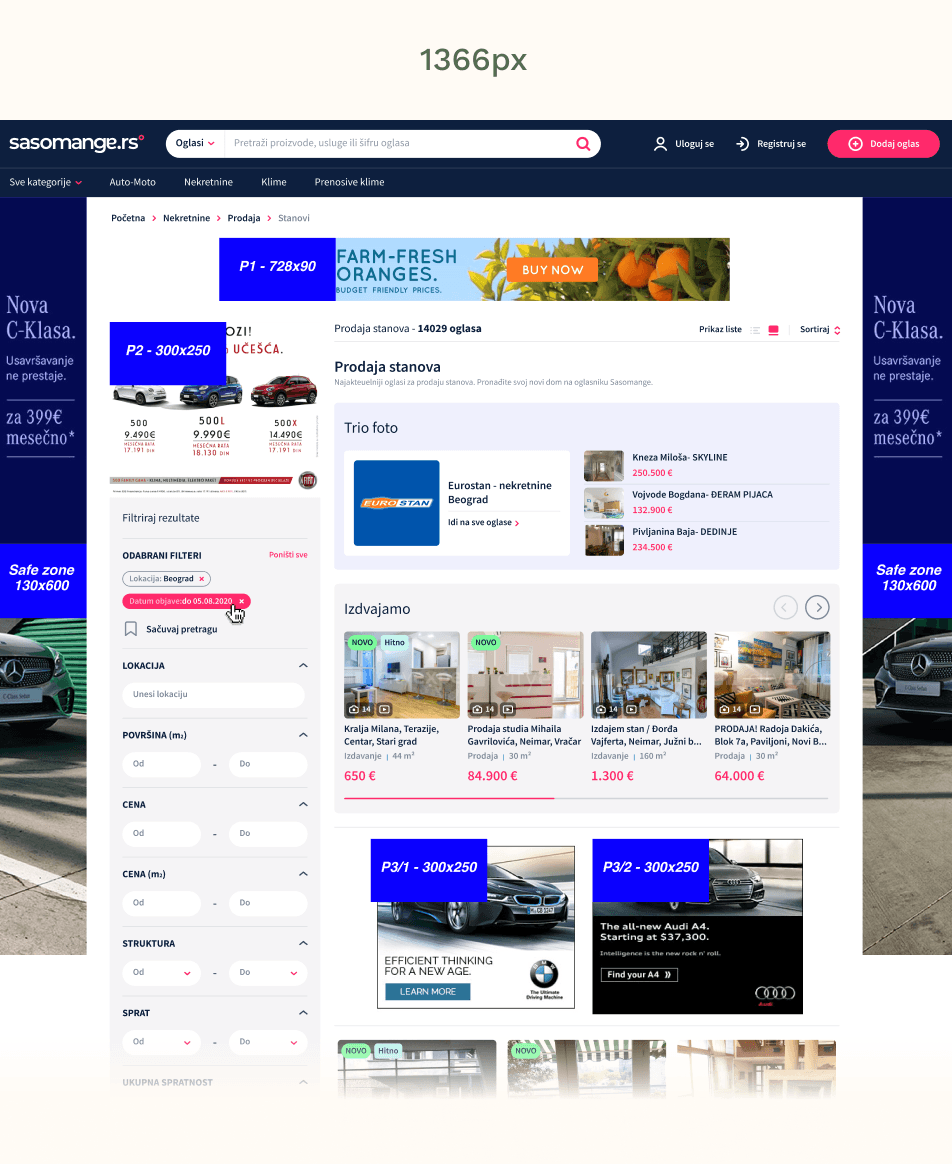
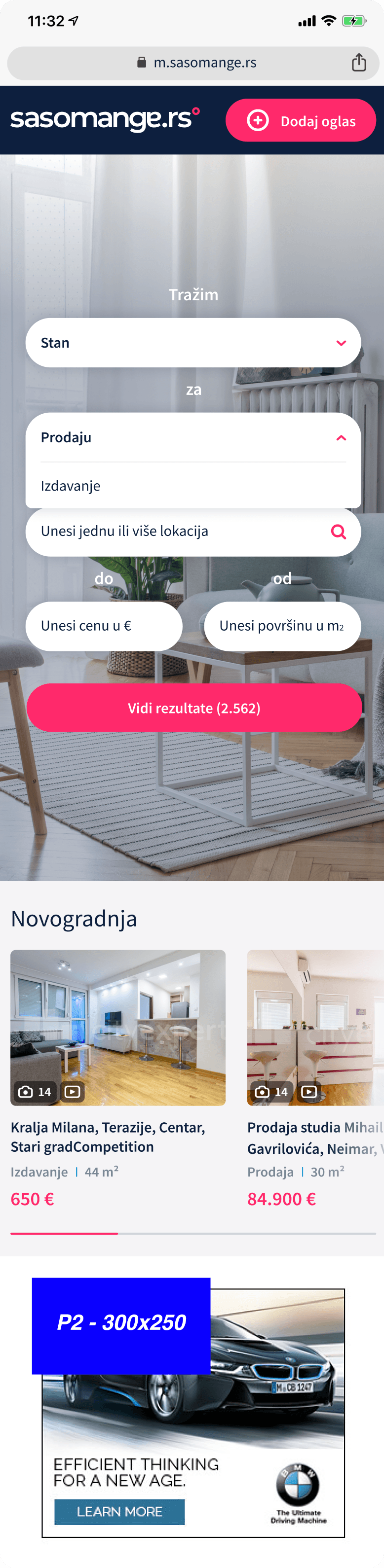
We defined five breakpoints — 1920px, 1366px, and 1024px for desktop variations, 768px for tablet, and 360px for mobile.

 One of my main responsibilities was adapting a newly designed feature, like the filtering solution above, into a fully responsive experience across the five breakpoints.

 The core layouts were created by the lead designer in collaboration with stakeholders and product managers, and my role was to refine layout structures, adjust content hierarchy and optimise spacing to maintain clarity and accessibility in order to ensure visual and functional consistency across devices.


We defined five breakpoints — 1920px, 1366px, and 1024px for desktop variations, 768px for tablet, and 360px for mobile.

 One of my main responsibilities was adapting a newly designed feature, like the filtering solution above, into a fully responsive experience across the five breakpoints.

 The core layouts were created by the lead designer in collaboration with stakeholders and product managers, and my role was to refine layout structures, adjust content hierarchy and optimise spacing to maintain clarity and accessibility in order to ensure visual and functional consistency across devices.


We defined five breakpoints — 1920px, 1366px, and 1024px for desktop variations, 768px for tablet, and 360px for mobile.

 One of my main responsibilities was adapting a newly designed feature, like the filtering solution above, into a fully responsive experience across the five breakpoints.

 The core layouts were created by the lead designer in collaboration with stakeholders and product managers, and my role was to refine layout structures, adjust content hierarchy and optimise spacing to maintain clarity and accessibility in order to ensure visual and functional consistency across devices.


Result: After uploading the finished screens to Zeplin, my adaptations helped the team spot layout inconsistencies early, reduce front-end iterations, and create an overall smoother handoff for development.

Result: After uploading the finished screens to Zeplin, my adaptations helped the team spot layout inconsistencies early, reduce front-end iterations, and create an overall smoother handoff for development.

Result: After uploading the finished screens to Zeplin, my adaptations helped the team spot layout inconsistencies early, reduce front-end iterations, and create an overall smoother handoff for development.

e.g 1 - PDP page

e.g 1 - PDP page

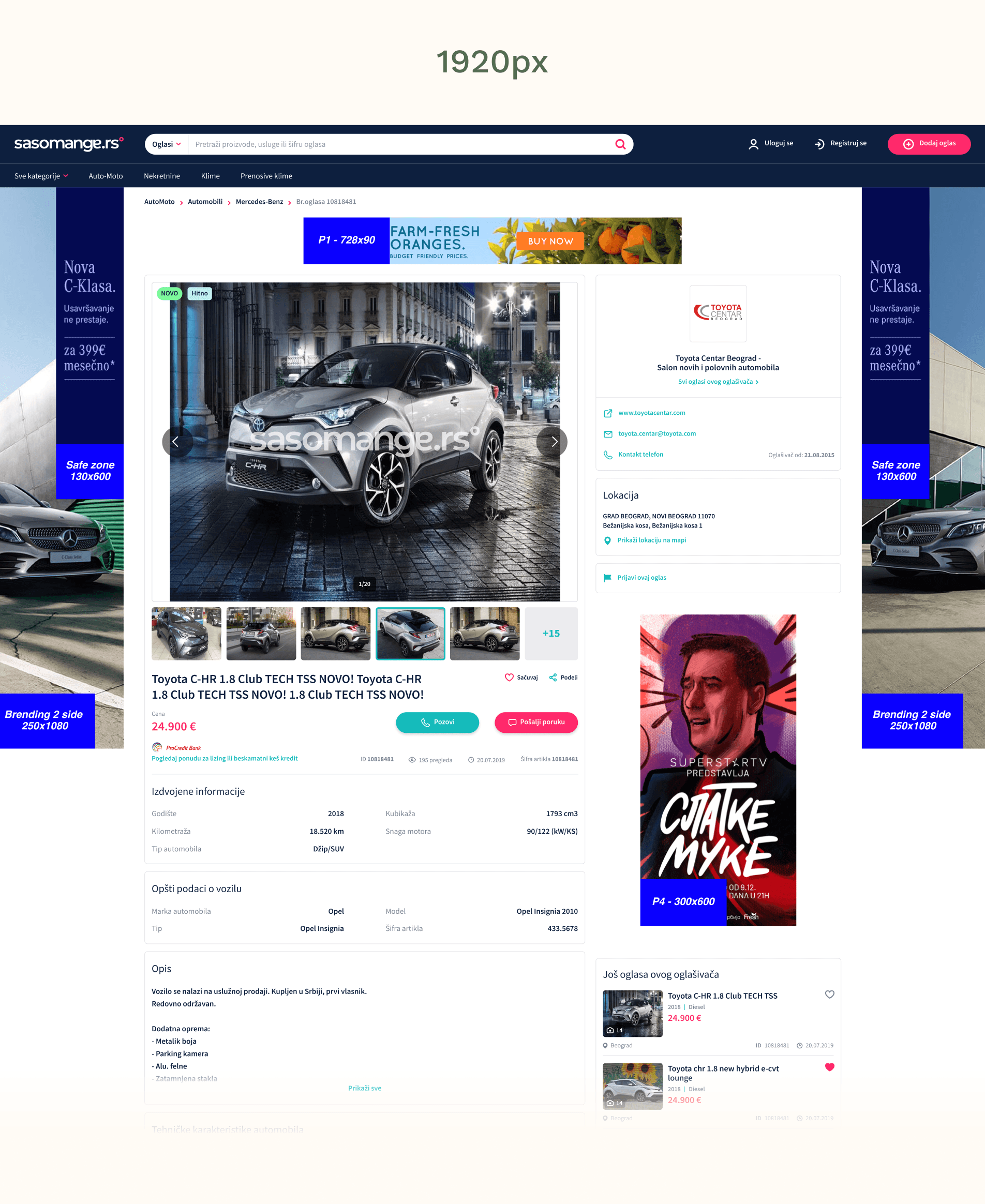
One example of responsive design is the PDP (product description page) images feature. The image gallery adapts to different screen sizes and usage contexts.

try the magnifying glass

tap on the screen for magnifying glass

try the magnifying glass

Desktop uses a large hero image with supporting thumbnails for efficient scanning and comparison, tablet places thumbnails in a vertical stack to support comfortable touch scrolling, and mobile simplifies the experience to a swipeable carousel, removing thumbnails to reduce clutter and preserve space.

Desktop uses a large hero image with supporting thumbnails for efficient scanning and comparison, tablet places thumbnails in a vertical stack to support comfortable touch scrolling, and mobile simplifies the experience to a swipeable carousel, removing thumbnails to reduce clutter and preserve space.

Desktop uses a large hero image with supporting thumbnails for efficient scanning and comparison, tablet places thumbnails in a vertical stack to support comfortable touch scrolling, and mobile simplifies the experience to a swipeable carousel, removing thumbnails to reduce clutter and preserve space.

Key listing information is positioned directly below the gallery to support fast decision-making. Price is prioritized, followed by save and share actions, while secondary metadata—listing ID, views, posting date, and item code (šifra artikla)—is visually de-emphasized to provide transparency without distracting from the core action.

Key listing information is positioned directly below the gallery to support fast decision-making. Price is prioritized, followed by save and share actions, while secondary metadata—listing ID, views, posting date, and item code (šifra artikla)—is visually de-emphasized to provide transparency without distracting from the core action.

Key listing information is positioned directly below the gallery to support fast decision-making. Price is prioritized, followed by save and share actions, while secondary metadata—listing ID, views, posting date, and item code (šifra artikla)—is visually de-emphasized to provide transparency without distracting from the core action.

e.g 2 - PDP Filters

Another example of responsive design is product description page filter design.

Another example of responsive design is product description page filter design.

Another example of responsive design is product description page filter design.

try the magnifying glass

tap on the screen for magnifying glass

try the magnifying glass

The filtering module uses the same visual structure across devices to stay familiar, but changes how it appears based on screen size.

The filtering module uses the same visual structure across devices to stay familiar, but changes how it appears based on screen size.

The filtering module uses the same visual structure across devices to stay familiar, but changes how it appears based on screen size.

On desktop, filters are visible alongside results so users can refine listings without breaking their flow. On tablet, selecting filters adds a dark overlay and displays the same filter panel - the purpose of which is to shift focus while keeping users oriented in the browsing context. On mobile, filters open as a full-screen view, giving users more space and reducing distractions, which makes selecting options easier on smaller screens.

On desktop, filters are visible alongside results so users can refine listings without breaking their flow. On tablet, selecting filters adds a dark overlay and displays the same filter panel - the purpose of which is to shift focus while keeping users oriented in the browsing context. On mobile, filters open as a full-screen view, giving users more space and reducing distractions, which makes selecting options easier on smaller screens.

On desktop, filters are visible alongside results so users can refine listings without breaking their flow. On tablet, selecting filters adds a dark overlay and displays the same filter panel - the purpose of which is to shift focus while keeping users oriented in the browsing context. On mobile, filters open as a full-screen view, giving users more space and reducing distractions, which makes selecting options easier on smaller screens.

Android and iOS design

As part of adapting new features for mobile, I focused on making them feel native to both iOS and Android to increase engagement, and ease of use.

As part of adapting new features for mobile, I focused on making them feel native to both iOS and Android to increase engagement, and ease of use.

As part of adapting new features for mobile, I focused on making them feel native to both iOS and Android to increase engagement, and ease of use.

By following platform-specific design guidelines, referencing familiar patterns from widely used apps, and collaborating closely with developers, the goal was to ensure interactions behaved exactly as users expect on each system.

By following platform-specific design guidelines, referencing familiar patterns from widely used apps, and collaborating closely with developers, the goal was to ensure interactions behaved exactly as users expect on each system.

By following platform-specific design guidelines, referencing familiar patterns from widely used apps, and collaborating closely with developers, the goal was to ensure interactions behaved exactly as users expect on each system.

e.g 1 - Introducing position search for merchants

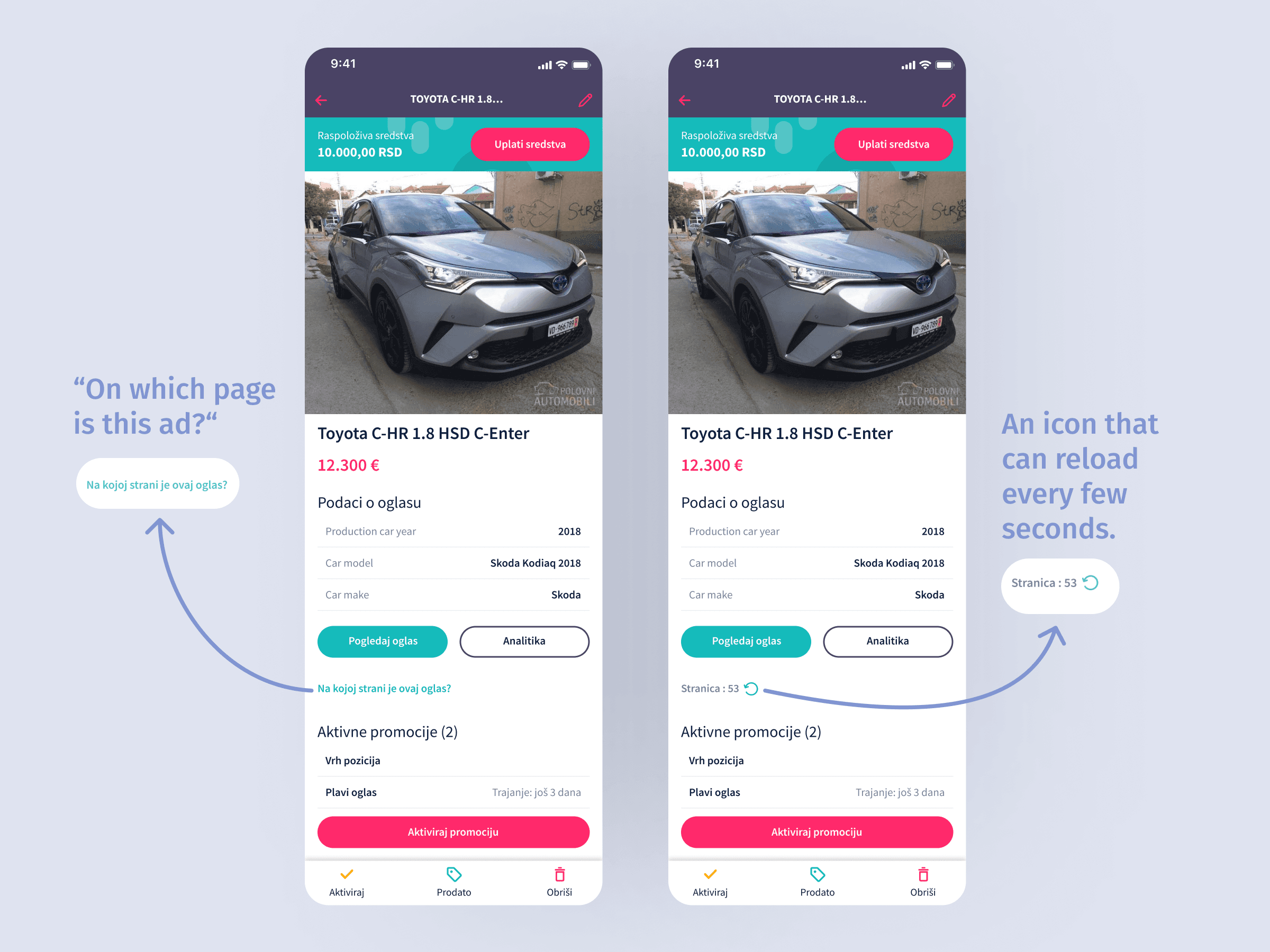
With many listings being added daily and quickly burying older ones, I needed to find a way to let merchants know where their ad appeared within the platform.

With many listings being added daily and quickly burying older ones, I needed to find a way to let merchants know where their ad appeared within the platform.

With many listings being added daily and quickly burying older ones, I needed to find a way to let merchants know where their ad appeared within the platform.

Cue simple, informative text element that indicated the ad’s location.
Cue simple, informative text element that indicated the ad’s location.

Cue simple, informative text element that indicated the ad’s location.

Result: Merchants made informed decisions to promote their listing for more visibility, helping them be more in control and confident about their listing’s visibility.

Result: Merchants made informed decisions to promote their listing for more visibility, helping them be more in control and confident about their listing’s visibility.

Result: Merchants made informed decisions to promote their listing for more visibility, helping them be more in control and confident about their listing’s visibility.

e.g 2 - Light/dark mode

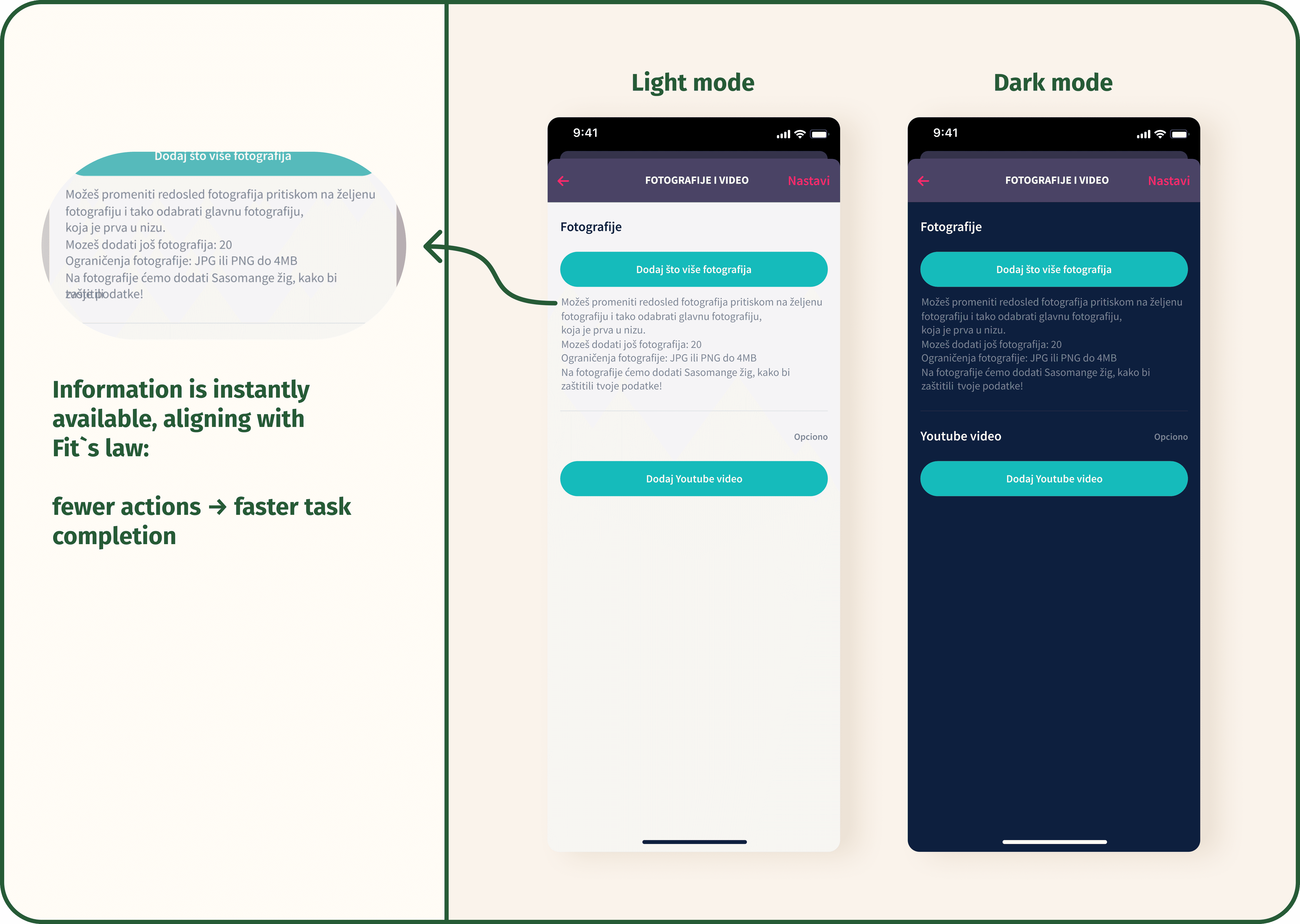
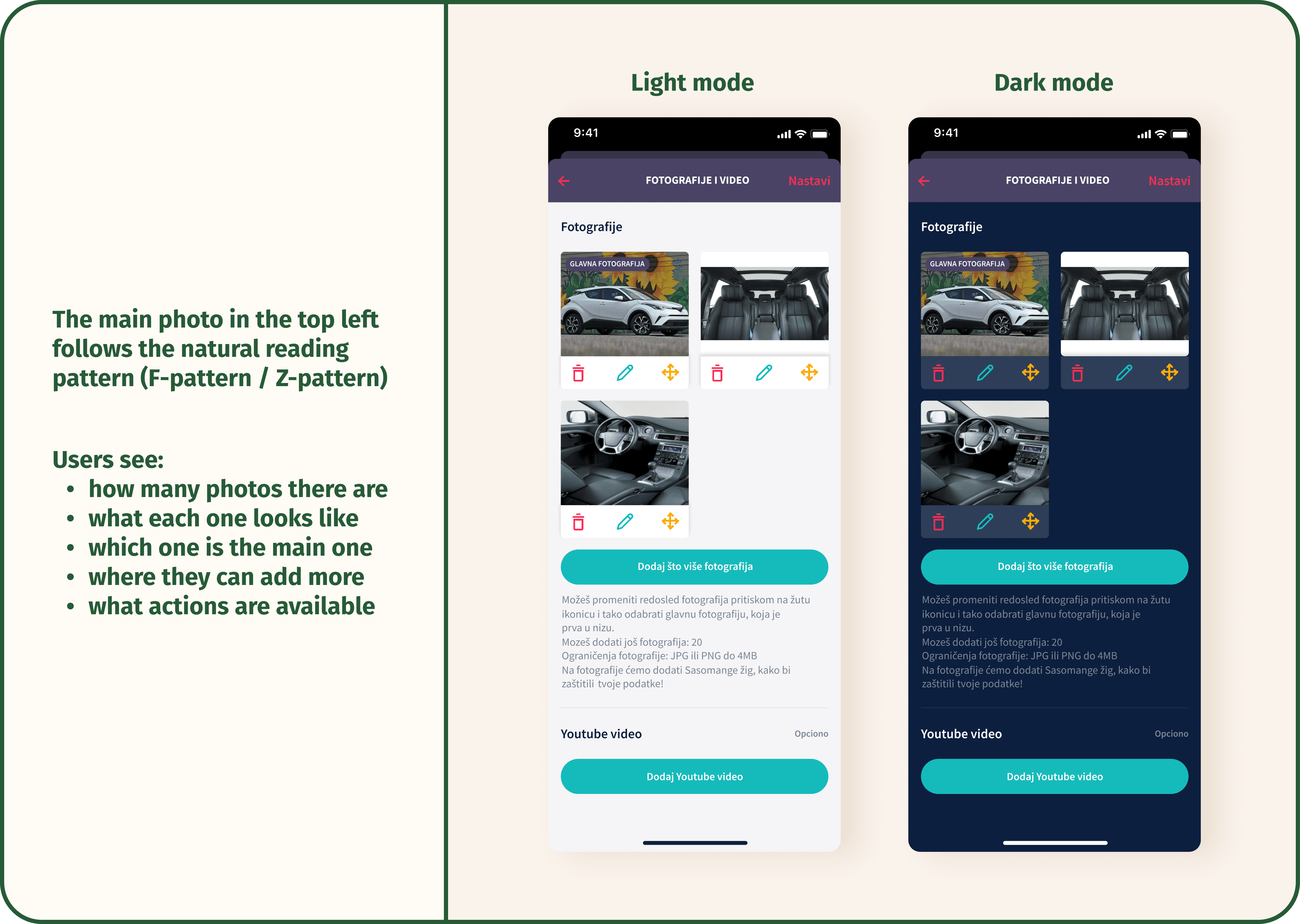
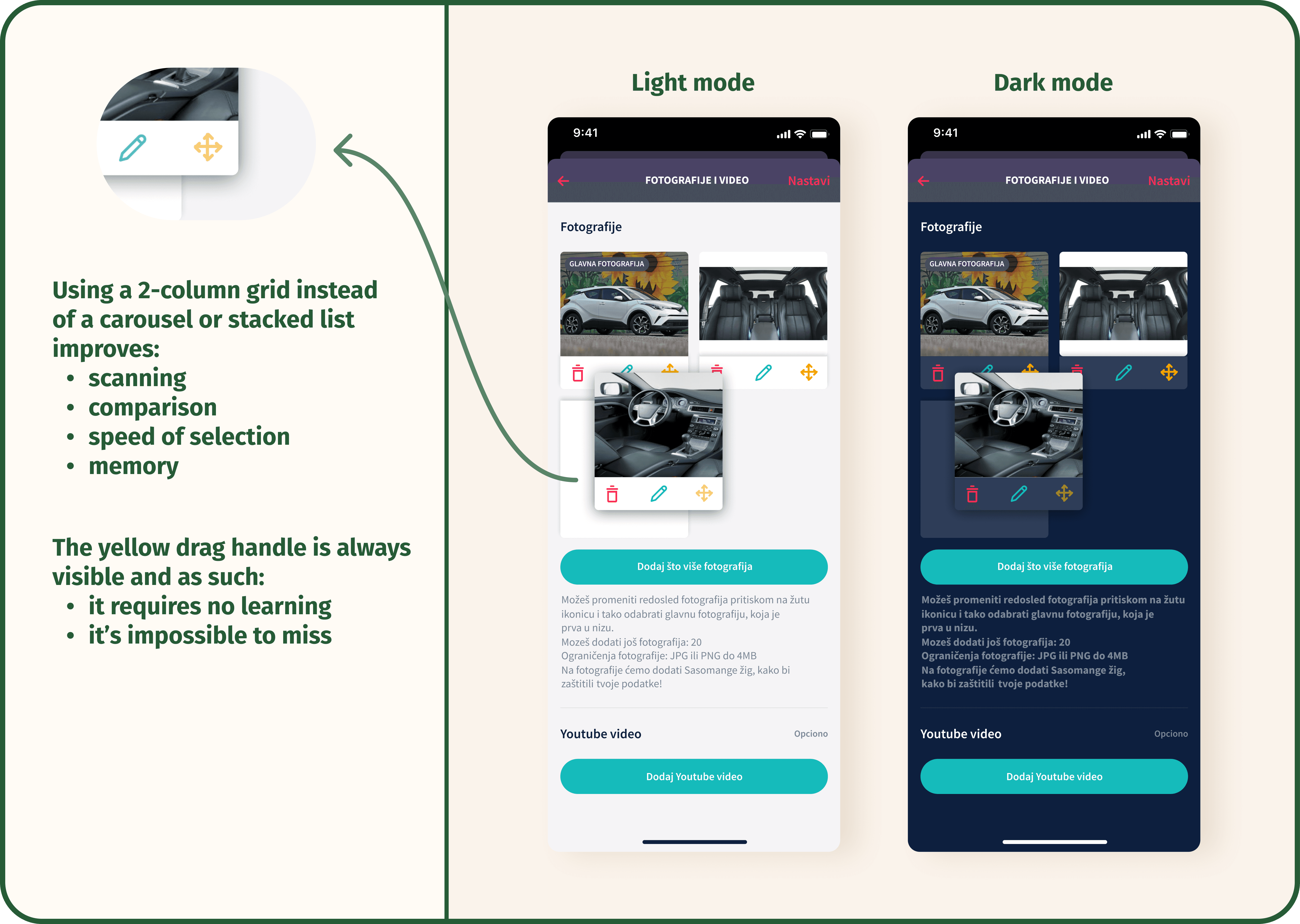
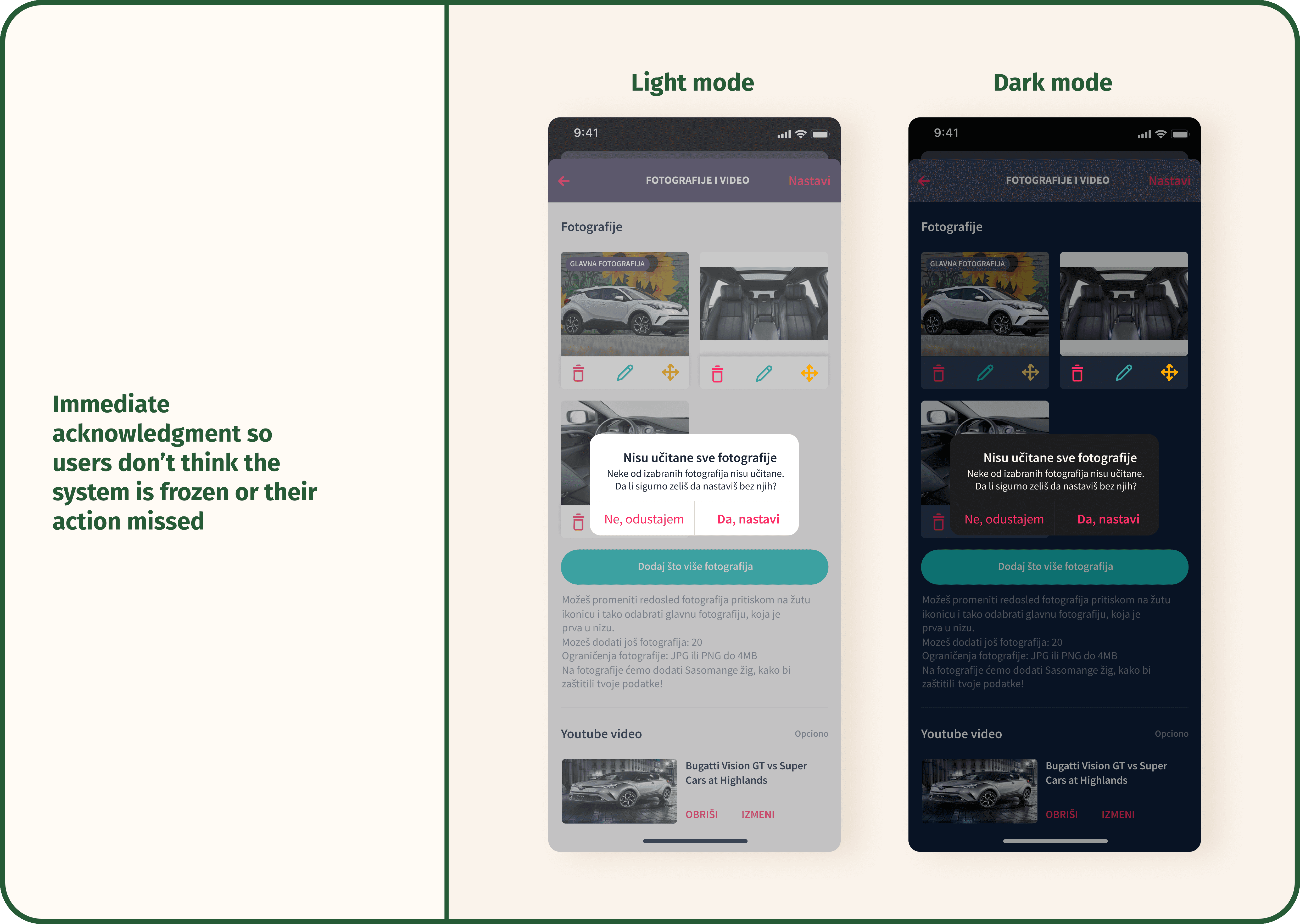
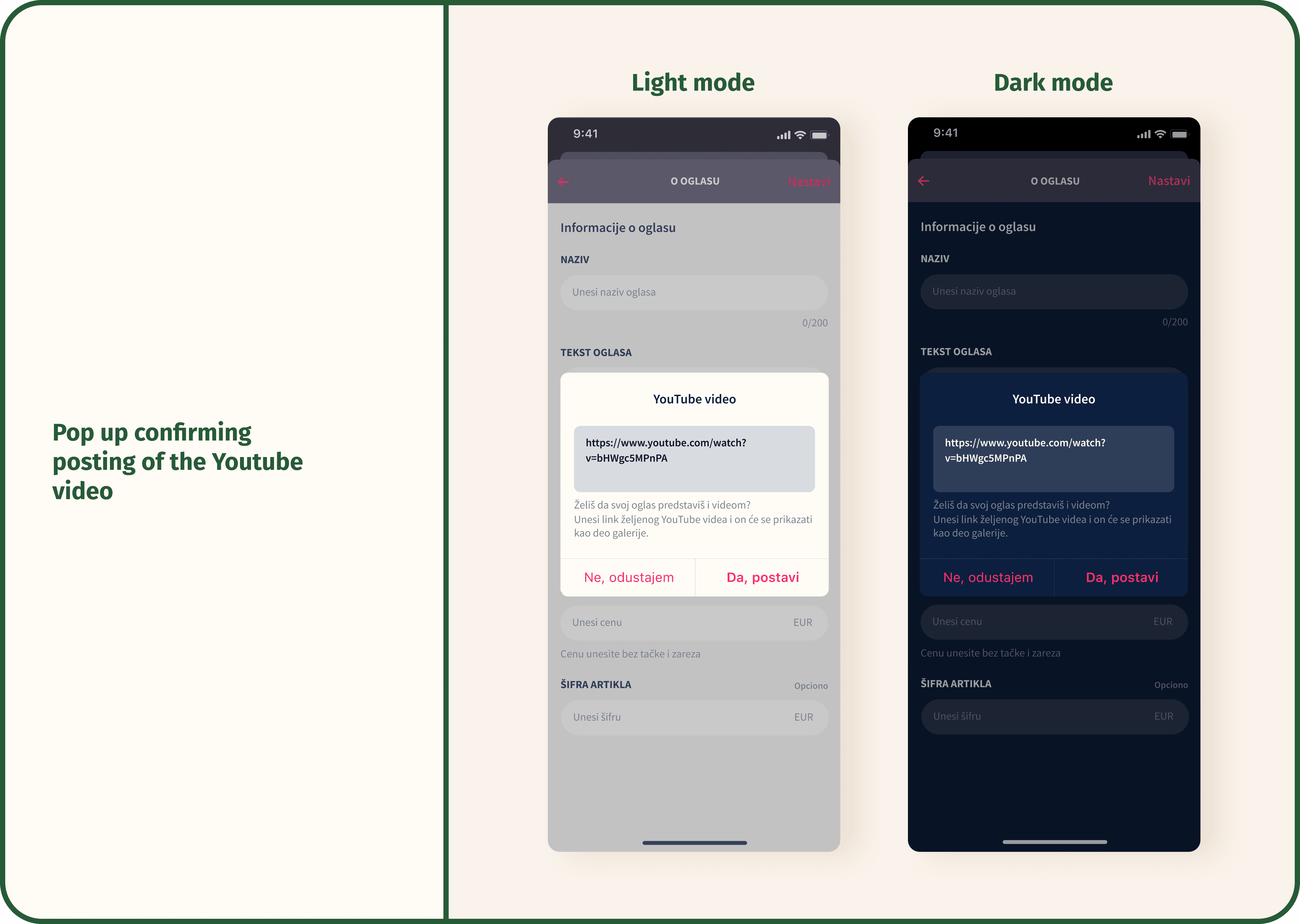
Scroll images below to see how the whole product listing upload feature looked in both light and dark mode, using the existing design system. Here, the focus was on refining how images, press state, and error states appeared across themes to keep the experience clear and consistent throughout the interface.
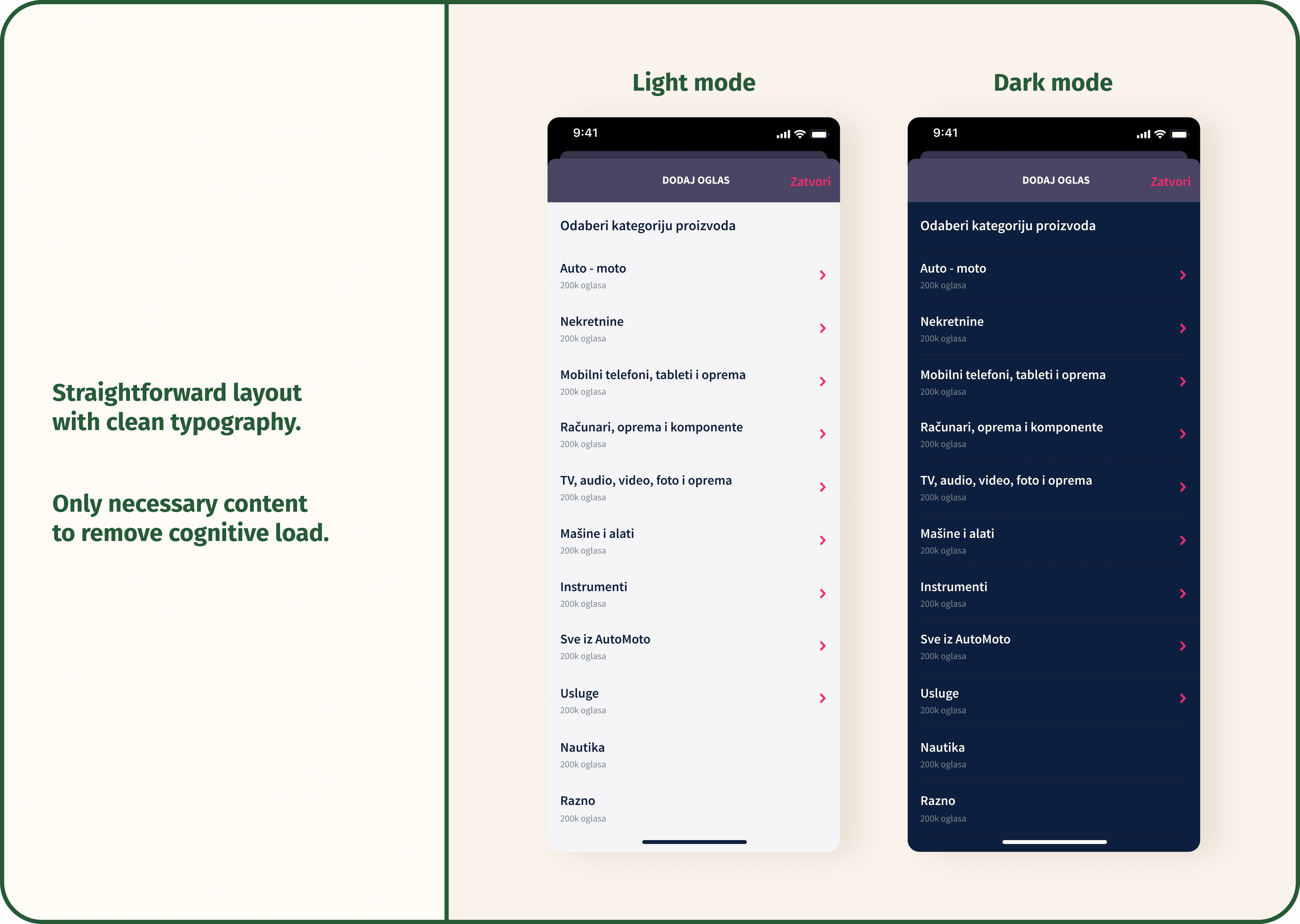
Scroll images below to see how the whole product listing upload feature looked in both light and dark mode, using the existing design system. Here, the focus was on refining how images, press state, and error states appeared across themes to keep the experience clear and consistent throughout the interface.
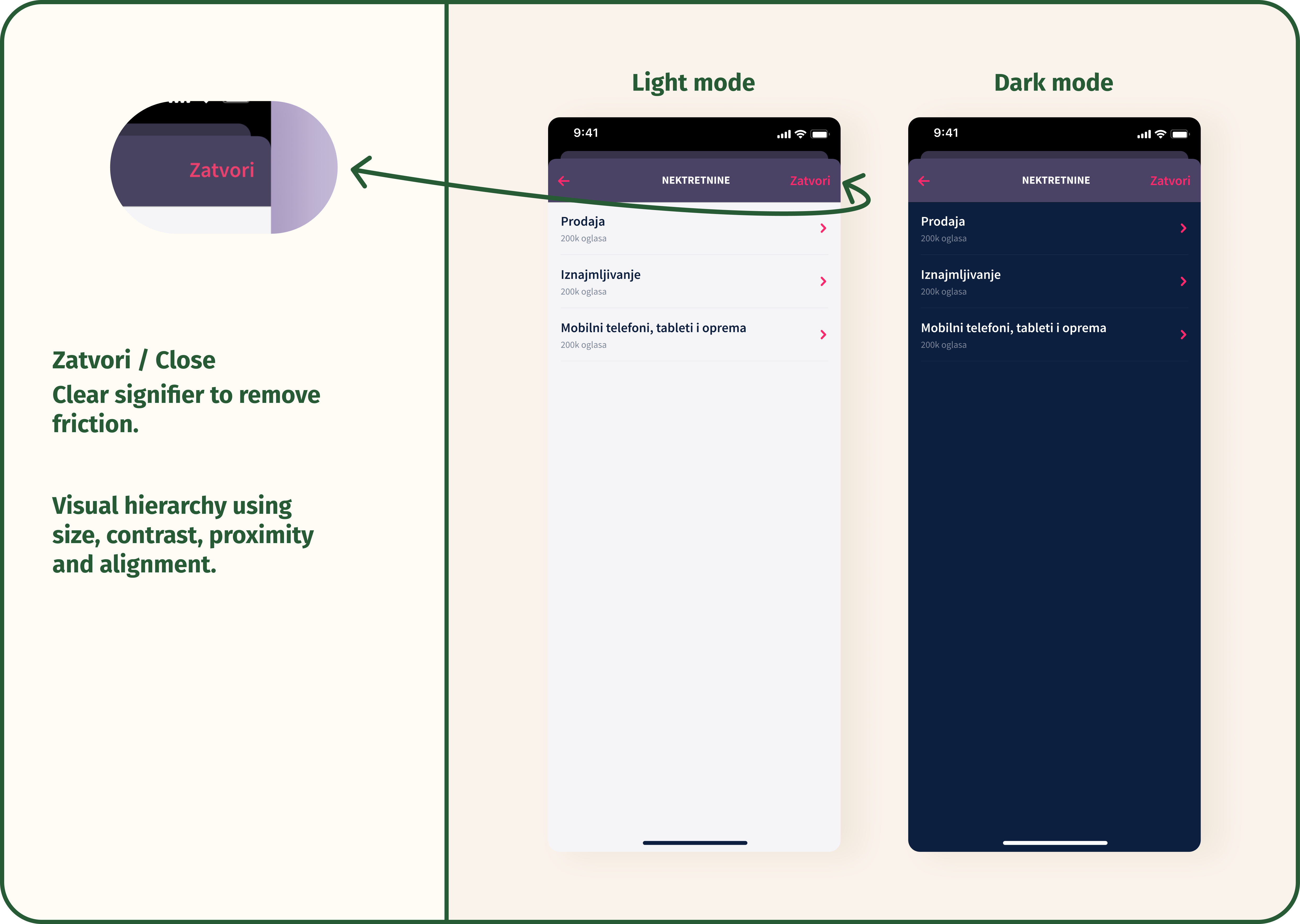
e.g 3 - Implementing iOS and Android specific design

The backlog of the merchants account would show Active, Inactive, and Sold item tabs which used platform-appropriate hierarchy and state styling, making status instantly recognisable.

The backlog of the merchants account would show Active, Inactive, and Sold item tabs which used platform-appropriate hierarchy and state styling, making status instantly recognisable.

The backlog of the merchants account would show Active, Inactive, and Sold item tabs which used platform-appropriate hierarchy and state styling, making status instantly recognisable.

Result: This reduced friction, sped up comprehension, and helped users manage their listings more efficiently, which created smoother interactions and higher continued usage.

Result: This reduced friction, sped up comprehension, and helped users manage their listings more efficiently, which created smoother interactions and higher continued usage.

Result: This reduced friction, sped up comprehension, and helped users manage their listings more efficiently, which created smoother interactions and higher continued usage.

drag left and right
drag left and right

Feature design

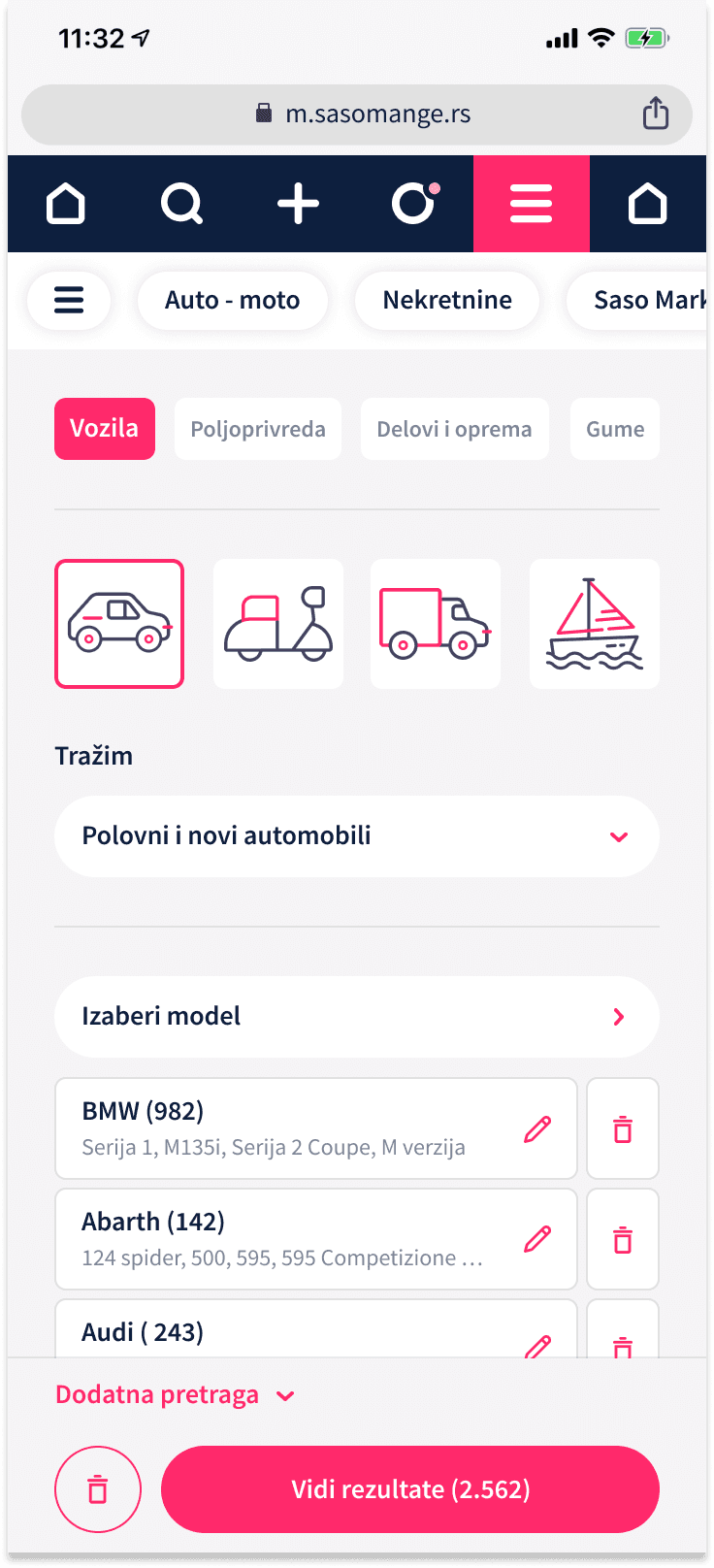
When working on the homescreen for auto-moto/cars, the goal was to make creating a listing as simple and intuitive as possible.


When working on the homescreen for auto-moto/cars, the goal was to make creating a listing as simple and intuitive as possible.


When working on the homescreen for auto-moto/cars, the goal was to make creating a listing as simple and intuitive as possible.


After iterating through several options, I chose a left-to-right layout that clearly showed the sequence of actions and visually communicated progress. Also known as the F-pattern because users tend to scan screens left to right and top to bottom, especially when presented with many options.

After iterating through several options, I chose a left-to-right layout that clearly showed the sequence of actions and visually communicated progress. Also known as the F-pattern because users tend to scan screens left to right and top to bottom, especially when presented with many options.

After iterating through several options, I chose a left-to-right layout that clearly showed the sequence of actions and visually communicated progress. Also known as the F-pattern because users tend to scan screens left to right and top to bottom, especially when presented with many options.

*trying out a variety of options

To reduce friction and cognitive load, we introduced illustrative icons of all transport vehicles that added visual cues and made the process feel lighter and more approachable.


My role was to explore and test multiple layout variations to find the most intuitive flow for users.
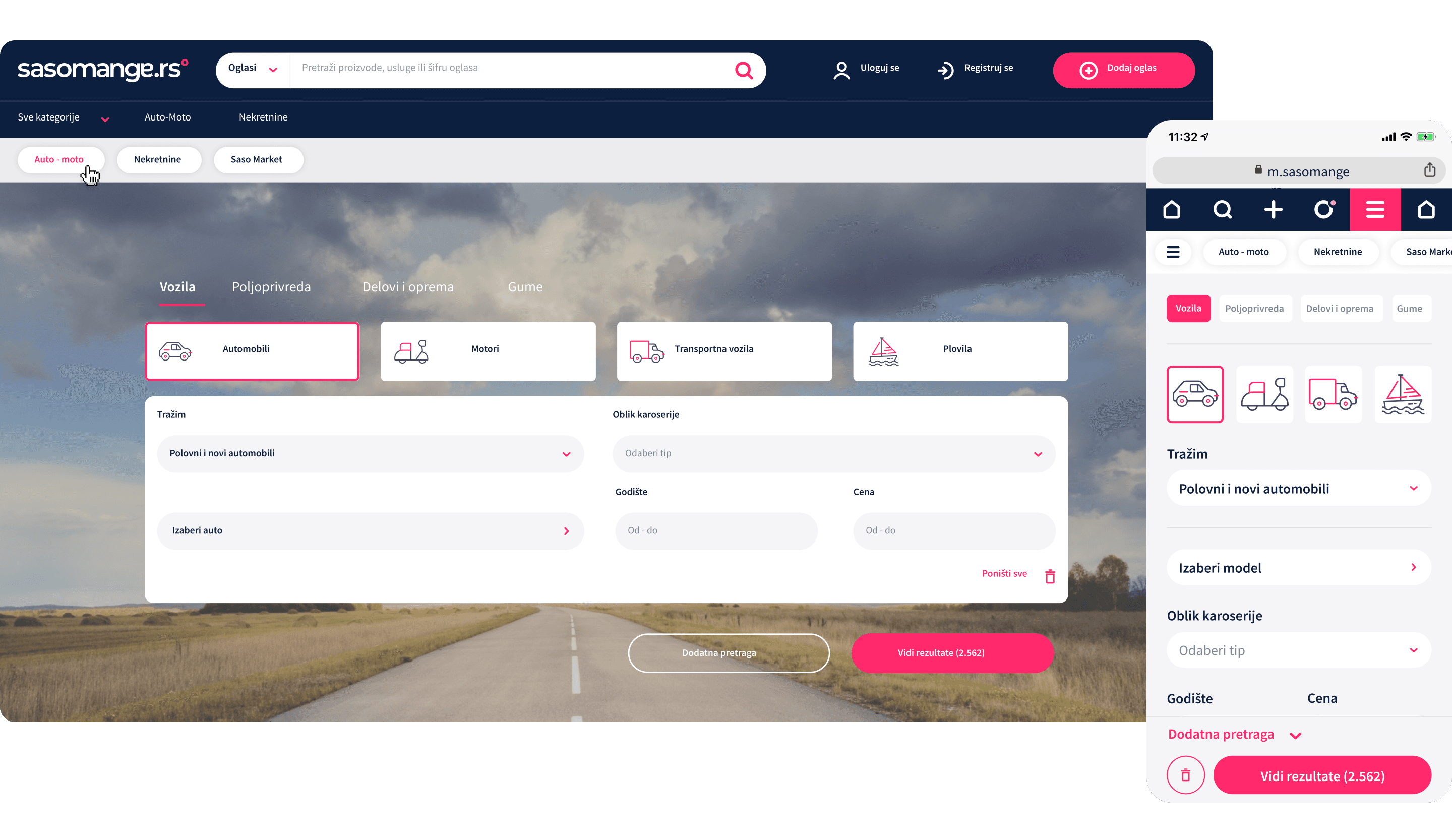
Result: This design helped users understand the listing process at a glance, resulting in fewer abandoned listings and smoother onboarding for new sellers.

Result: This design helped users understand the listing process at a glance, resulting in fewer abandoned listings and smoother onboarding for new sellers.

Result: This design helped users understand the listing process at a glance, resulting in fewer abandoned listings and smoother onboarding for new sellers.

Illustrations and Styleguide

In addition to feature design, the work also included creating illustrations and icons for both the product and email notifications.
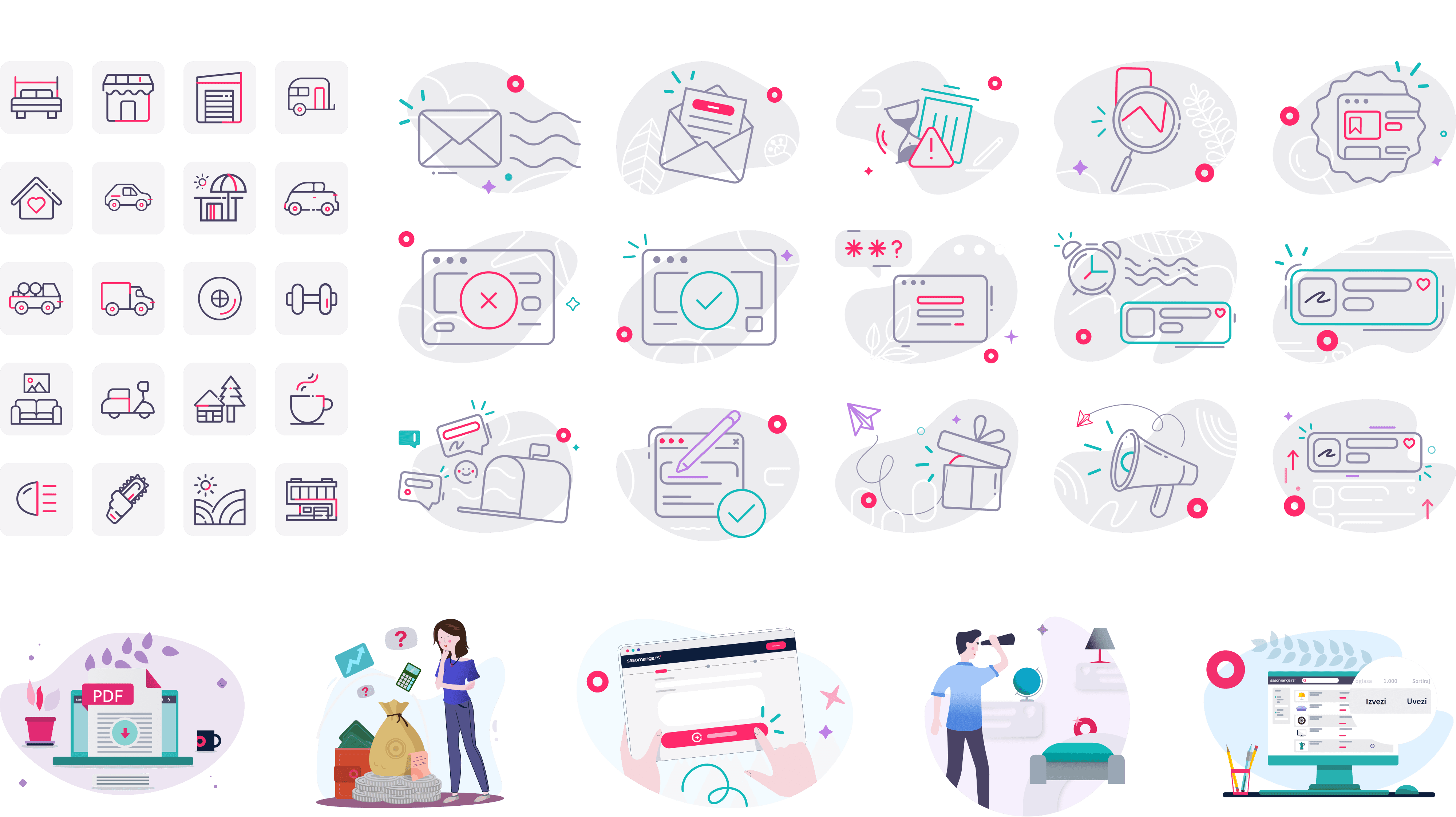


Result: These visuals helped make the communication more approachable and consistent with the product’s overall style, strengthening the brand’s visual identity across touchpoints.

Result: These visuals helped make the communication more approachable and consistent with the product’s overall style, strengthening the brand’s visual identity across touchpoints.

Result: These visuals helped make the communication more approachable and consistent with the product’s overall style, strengthening the brand’s visual identity across touchpoints.

Have you seen my other case studies?

Have you seen my other case studies?

Have you seen my other case studies?

Capricorn Digital
Pinterest

©2026

Jana Skobic